Data Types \ String \ Operations
 Add String

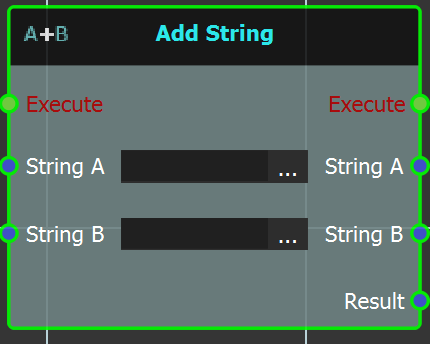
This node can be used to add two strings to each other.
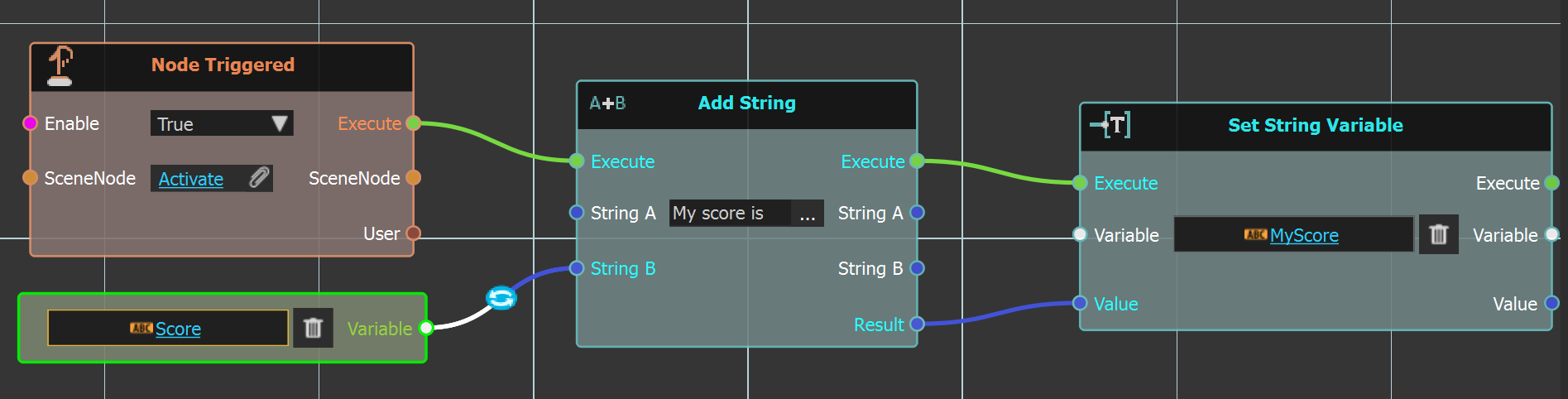
In the below example a Score string variable is input to this node, along with My Score is string filled in. The result is input to a Set String Variable node, into another string variable name MyScore which is linked to a Variable Writer in the scene to be displayed.
Example
 Find
Find

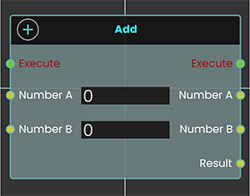 The "Find" node is used to search for a specific word, group of letters, or substring within a larger sentence or string value. If the specified text is found, the node returns the number of characters from the beginning of the string to the start of the found text. If the specified text is not found, the node returns -1. This allows users to detect and locate specific content inside a string.
Example
In this example, the Find node is used to search for the word "apple" in a string variable with the initial value "I like apple pie." When the user triggers the object, the Variable with Initial node retrieves the string, and the Find node looks for the word "apple." The resulting index is then stored in a number variable named "Value" using the Set Number Variable node, which can then be connected to a Variable Writer to display the result during the VR experience. If "apple" is found, the Value variable stores the position where "apple" starts in the sentence. If not found, the Value variable is set to -1.
 Lower Case

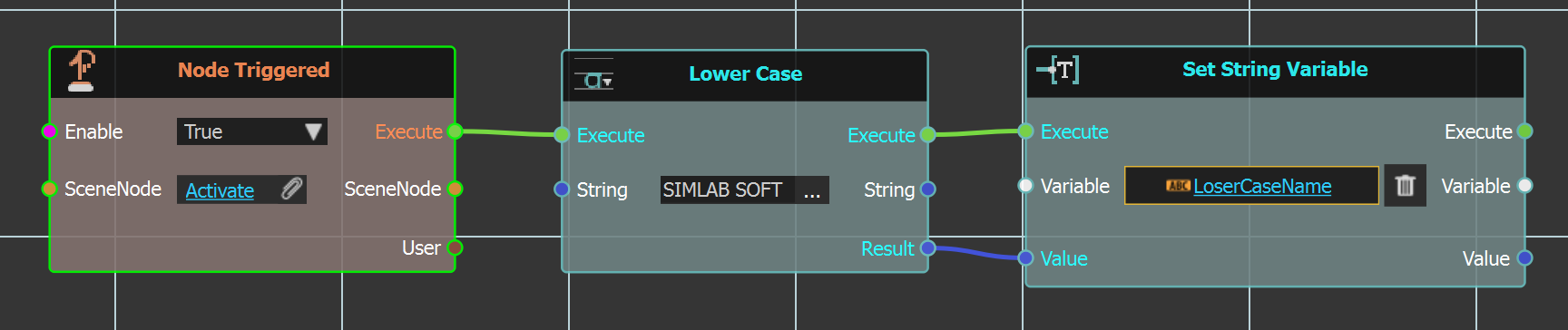
The "Lower Case" can be used to  covert an upper case string to lower case, as shown in the example below.
In this example the string "SIMLAB SOFT" is input inside this node, which is executed when Activate scene node is triggered. This will result in updating the valued of LowerCaseName string variable to be simlab soft.
Example
 Replace

Replace node can be used to replace specific Target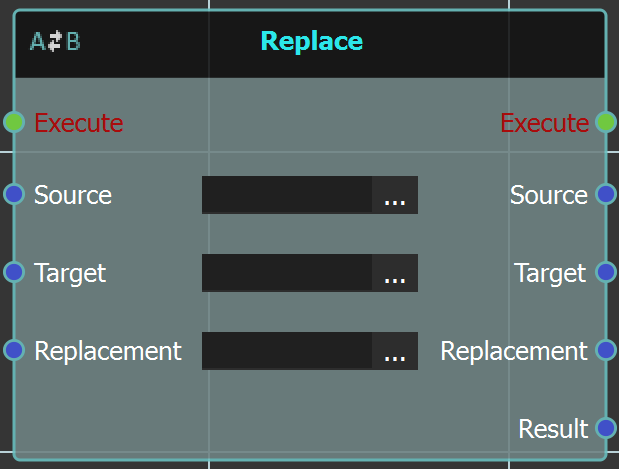 text string from a Source text string with the Replacement string.
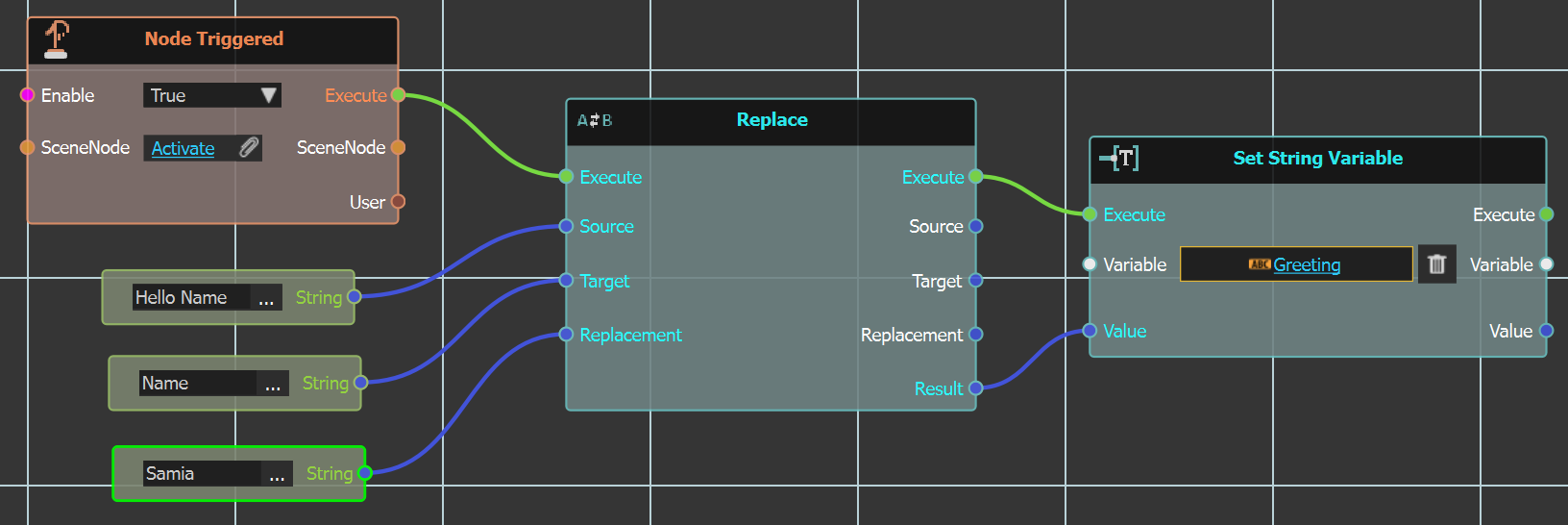
In the below example the node is executed upon clicking Activate node, and has three string inputs. Source which is main string "Hello Name". Target string which is "Name", and Replacement string which is Samia.
The Result greeting from this will be "Hello Samia".
Example
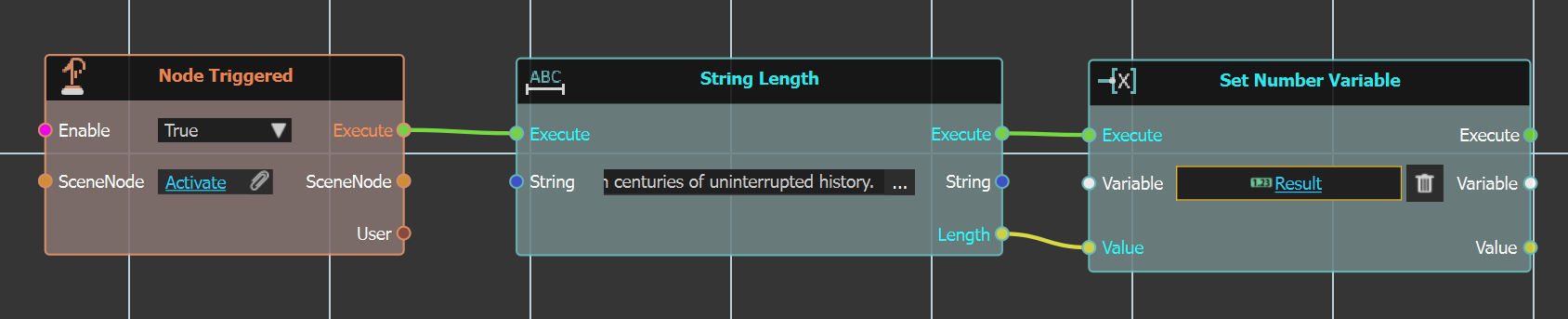
 String Length

This node returns the length of a given string.

In the example below the node is triggered by
clicking Activate geometry, and it's filled with a long paragraph string. The length result is stored in variable Result in the Set Number Variable node.
Example
 Upper Case

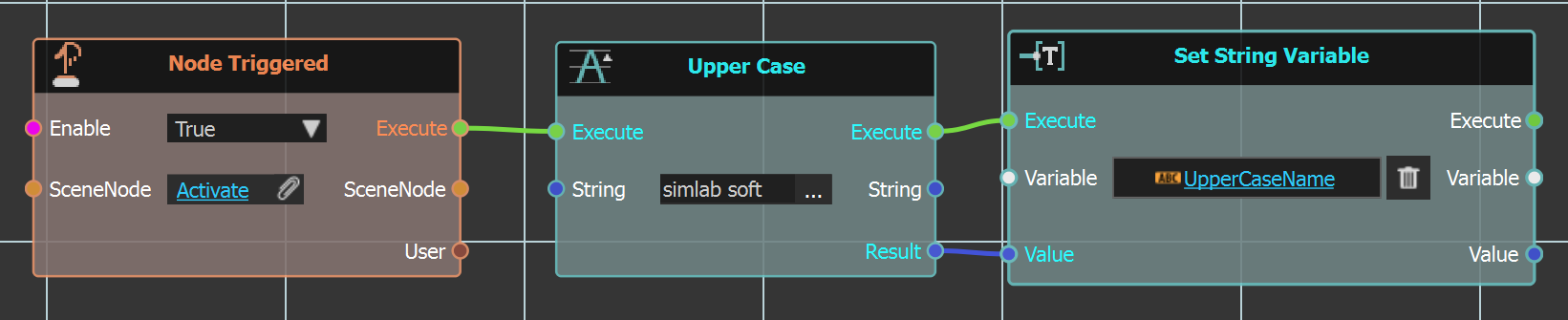
Contrary to the "Lower Case" node this node coverts a loser case string to upper case, as shown in the example below.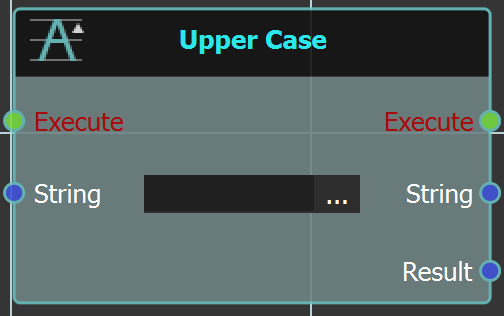
In this example the string "simlab soft" is input inside this node, which is executed when Activate scene node is triggered. This will result in updating the valued of UpperCaseName string variable to be SIMLAB SOFT.
Example