# Data Types\Number\ Variable
---
## [](https://simlab-soft.com/help/uploads/images/gallery/2024-08/response-value-number-add.png) Set
Has two options:
### [](https://simlab-soft.com/help/uploads/images/gallery/2024-08/response-value-number-add.png)Set Number Variable By Expression[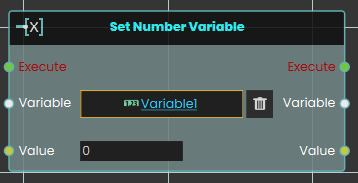](https://simlab-soft.com/help/uploads/images/gallery/2024-08/add-node.jpg)
The **Set number variable** response enables user to set a value by either typing in a numerical value in the value field or by attaching a value or a variable node to that port. Then once the response is executed, the variable value can be acquired through the **Value** port.
#### Example
[](https://simlab-soft.com/help/uploads/images/gallery/2024-08/Bdhimage.png)
In this example, a **Set number variable** is used to assign the value of Variable1 once the user triggers the object named Activate, and the new value is then written in a variable named Result, which can then be connected to a variable writer to be displayed during the VR Experience.
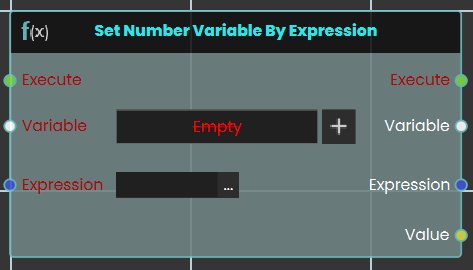
### [](https://simlab-soft.com/help/uploads/images/gallery/2024-08/response-value-number-add.png)Set Number Variable By Expression
[](https://simlab-soft.com/help/uploads/images/gallery/2024-08/add-node.jpg)
The **Set number variable by expression** response enables user to set a value by either typing in an expression in the expression field or by attaching a value or a variable node to that port. Then once the response is executed, the variable value can be acquired through the **Value** port.
#### Example
[](https://simlab-soft.com/help/uploads/images/gallery/2024-08/Bdhimage.png)
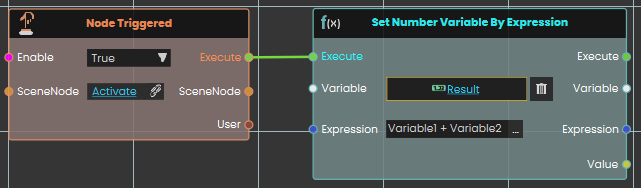
In this example, a **Set Number Variable By Expression** is used to set the result of the sum of Variable1 and Variable2 once the user triggers the object named Activate. The new value is then written in the Result variable, which can be connected to a variable writer to be displayed during the VR Experience.
---
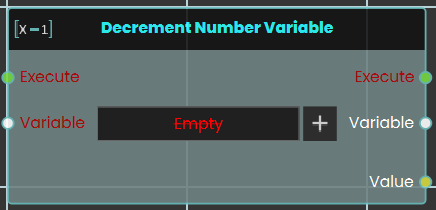
### [](https://simlab-soft.com/help/uploads/images/gallery/2024-08/response-value-number-add.png) Decrement Number Variable
[](https://simlab-soft.com/help/uploads/images/gallery/2024-08/add-node.jpg)
The **Decrement Number Variable** response enables the user to decrease a variable's value by 1 each time the event connected to it is triggered. Once the response is executed, the updated value can be acquired through the **Value** port.
#### Example
[](https://simlab-soft.com/help/uploads/images/gallery/2024-08/hUtimage.png)
In this example, a **Decrement Number Variable** response is used to decrease the value of Variable1 by 1 once the user triggers the object named Activate. The result of the decrease number variable operation is then written in a variable named Result, which can then be connected to a variable writer to be displayed during the VR Experience.
---
[](https://simlab-soft.com/help/uploads/images/gallery/2024-08/response-value-number-add.png) Increment Number Variable
[](https://simlab-soft.com/help/uploads/images/gallery/2024-08/add-node.jpg)
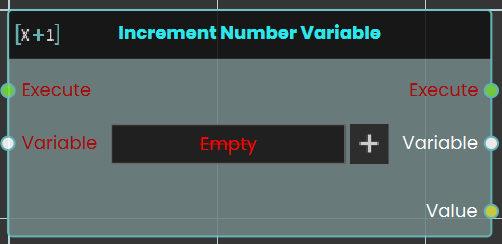
The **Increment Number Variable** response enables the user to increase a variable's value by 1 each time the event connected to it is triggered. Once the response is executed, the updated value can be acquired through the **Value** port.
#### Example
[](https://simlab-soft.com/help/uploads/images/gallery/2024-08/hUtimage.png)
In this example, a **Increment Number Variable** response is used to increase the value of Variable1 by 1 once the user triggers the object named Activate. The result of the decrease number variable operation is then written in a variable named Result, which can then be connected to a variable writer to be displayed during the VR Experience.
---
[](https://simlab-soft.com/help/uploads/images/gallery/2024-08/response-value-number-add.png) Get
[](https://simlab-soft.com/help/uploads/images/gallery/2024-08/add-node.jpg)
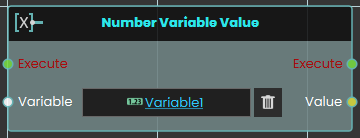
The **Number Variable Value** response enables the user to get a variable's value each time the event connected to it is triggered. Once the response is executed, the updated value can be acquired through the **Value** port.
#### Example
[](https://simlab-soft.com/help/uploads/images/gallery/2024-08/o5himage.png)
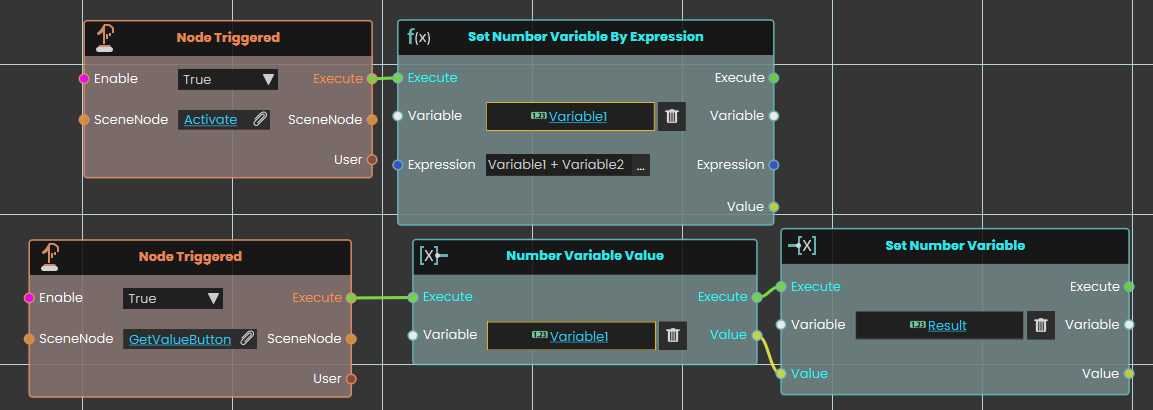
In this example, a **Number Variable Value** response is used to get the new value for Variable1 after it was changed by **Set Number Variable By Expression** once the user triggers the object named GetValueButton. The value of the number variable is then written in a variable named Result, which can then be connected to a variable writer to be displayed during the VR Experience.
---