# External Connection \ WebSocket
### [](https://simlab-soft.com/help/uploads/images/gallery/2024-08/response-value-number-add.png) Open External Connection
SimLab Composer 14 introduces WebSocket support, enabling seamless integration with external systems allowing it to work with external hardware, co-simulation engines, and websites, unlocking numerous possibilities.
The WebSocket nodes (Open External Connection, Send Message, and [On Message Received](https://simlab-soft.com/help/books/dynamic-training-builder-nodes-manual/page/on-message-received)) are exclusively available in the Ultimate Edition.
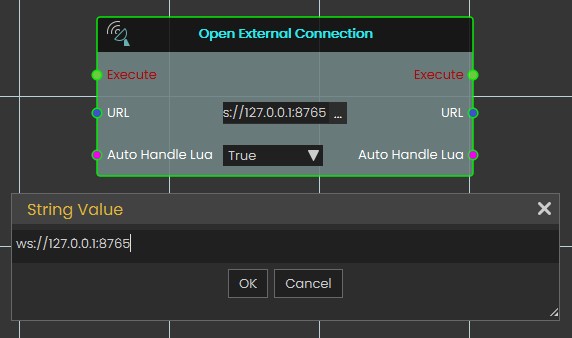
The **Open External Connection** node enables the opening of a WebSocket connection to an external system. When the **Auto Handle Lua** is set to **true**, incoming messages containing Lua scripts will be automatically executed. This allows for real-time interaction between SimLab Composer and external systems, such as co-simulation engines or hardware, with the ability to dynamically execute Lua code as part of the interaction.
[](https://simlab-soft.com/help/uploads/images/gallery/2025-02/screenshot-2025-02-02-162338.jpg)
**Input Ports:**
- Execute
- URL: WebSocket URL that includes the server IP address, port, channel (optional). Example: ws://server1.simlab-soft.com:8765/robots\_1
- Auto Handle Lua: Incoming messages containing Lua scripts will automatically execute those scripts If enabled (True).
**Output Ports:**
- Execute
- URL
- Auto Handle Lua
---
###
[](https://simlab-soft.com/help/uploads/images/gallery/2024-08/response-value-number-add.png) Send Message
[](https://simlab-soft.com/help/uploads/images/gallery/2025-02/h5mimage.png)
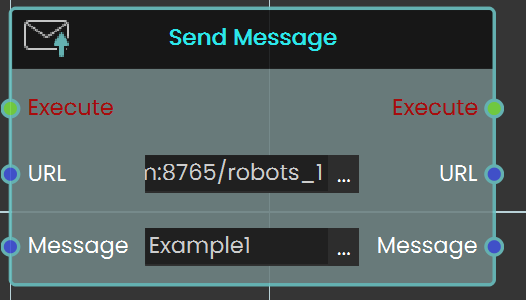
The **Send Message** node allows you to communicate with the WebSocket server by sending messages. It is essential to ensure that the message format follows the protocol that the server and other clients can process. This node enables real-time interaction with external systems, making it possible to transmit data or commands to connected servers or clients.
**Input Ports:**
- Executive
- URL: WebSocket URL that includes the server IP address, port, and channel (optional). Example: ws://server1.simlab-soft.com:8765/robots\_1
- Message
**Output Ports:**
- Execute
- URL
- Message