
Resource
 Delete Resource
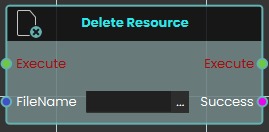
The Delete Resource node enables the system to remove specific resources currently stored in the SimLab File Vault. This node simply requires the exact "FileName" of the target file as an input to execute the deletion. It outputs a "Success" boolean to confirm whether the specified file was successfully removed from the vault.
 Download Resource

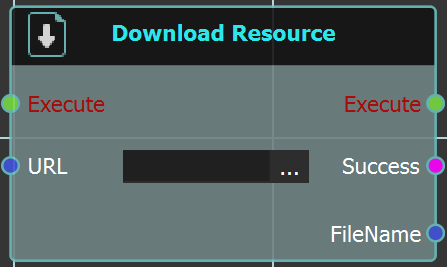
The Download Resource node enables the system to download a specific file directly from the SimLab File Vault while a user is actively engaged inside a VR experience. This node requires the exact URL of the vault file to be linked into the node's input. Upon execution, it retrieves the file and provides a "Success" status alongside the downloaded "FileName" to be used in subsequent logic.
For more information, refer to SimLab Vault tutorial below:
 Get Path From Resource
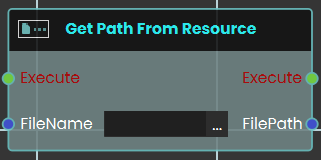
The Get Path From Resource node enables the system to retrieve the exact URL or local file path of a specific resource or file. This node requires the exact "FileName" of the target file as an input.
 Save VRPackage

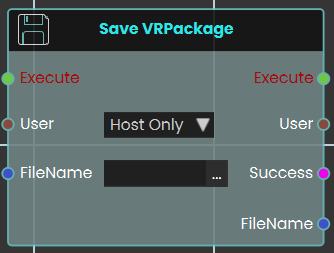
The Save VRPackage node enables the system to save the current, active VR experience as a standalone .vrpackage file, directly from within the VR session itself. It requires a "FileName" to name the new package and includes a "User" dropdown (e.g., "Host Only") to specify which user is authorizing the save. It outputs a "Success" boolean and the final "FileName" to confirm the action.
 Upload Media From User
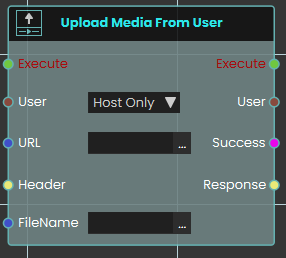
The Upload Media From User node functions similarly to the standard Upload Resource node by sending files to the SimLab File Vault via a designated URL. This node is specifically designed for multiplayer VR Collaboration environments.
It allows an administrator or host to target a specific user (via the "User" dropdown) and upload a file from that user's local device directly to the central File Vault. This is crucial for sharing media when a file exists only on an individual participant's machine and not on the host's device. Like the standard upload node, it outputs a "Success" boolean.
 Upload Resource
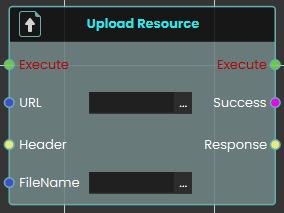
The Upload Resource node enables the system to send and save resources to the SimLab File Vault during a live VR experience. This node requires the destination URL for the file vault, as well as the assigned "FileName" for the file being uploaded and outputs a "Success" boolean.
For more information, refer to SimLab Vault tutorial below:
No Comments