# SceneNode \ Triggered

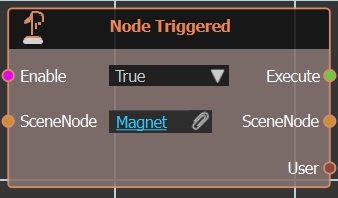
### [![Event_Node_Triggered.png](https://simlab-soft.com/help/uploads/images/gallery/2025-12/scaled-1680-/event-node-triggered.png)](https://simlab-soft.com/help/uploads/images/gallery/2025-12/event-node-triggered.png) Node Triggered 

[![image.png](https://simlab-soft.com/help/uploads/images/gallery/2025-12/scaled-1680-/Wjpimage.png)](https://simlab-soft.com/help/uploads/images/gallery/2025-12/Wjpimage.png)**Node Triggered** event is executed when the selected Scene Node is triggered within VR environment.
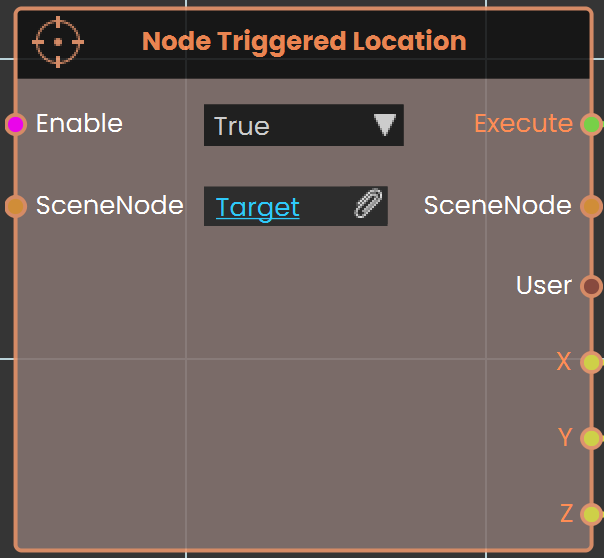
### ![Events_SceneNode_Triggered_NodeTriggeredLocation.png](https://simlab-soft.com/help/uploads/images/gallery/2024-09/events-scenenode-triggered-nodetriggeredlocation.png) Node Triggered Location

![Ceiling Node.png](https://simlab-soft.com/help/uploads/images/gallery/2024-09/scaled-1680-/Wk8image.png)The **Node Triggered Location** is used to capture the specific location or position of a triggered event within the VR environment. It enables tracking where a particular interaction occurred, which can be useful for dynamic object placement, analytics, or event-triggered responses based on spatial coordinates.

####   


#### Example
![image.png](https://simlab-soft.com/help/uploads/images/gallery/2024-09/scaled-1680-/oSEimage.png)

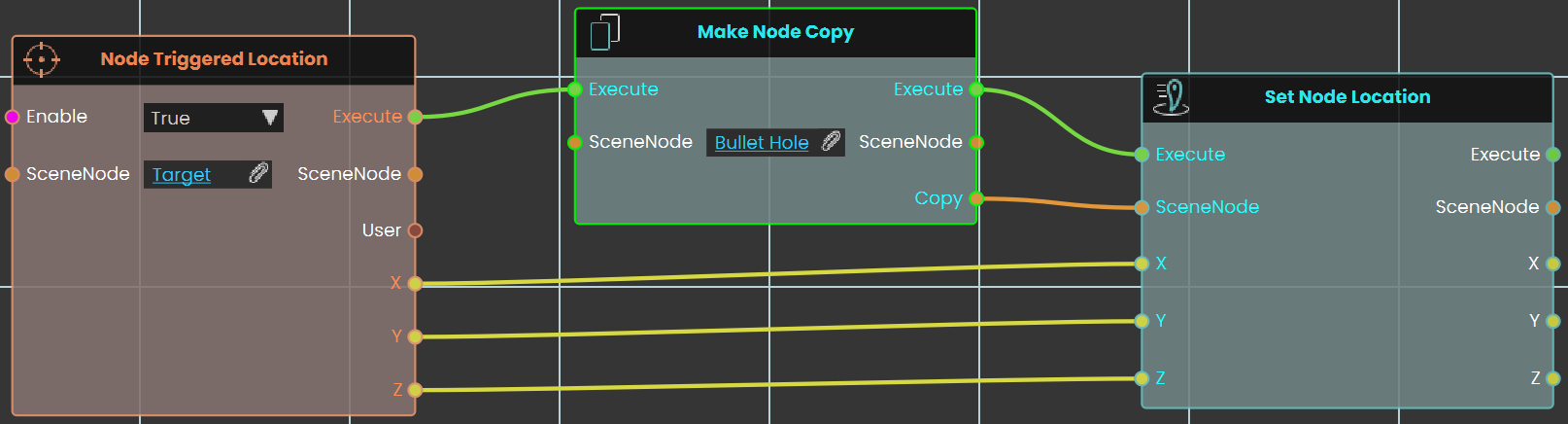
In this example, the **Node Triggered Location** is used to capture the location where the user triggers the target. When the target is hit, the node records the exact spot, and a bullet hole is placed using the **Set Node Location**. The **Make Node Copy** is used to enable the user to shoot more than one bullet, creating a new bullet hole at each triggered location. This setup allows for repeated interactions, with each shot creating a new bullet hole in the correct spot.

---

<div class="mt-1 flex gap-3 empty:hidden -ml-2" id="bkmrk--6"><div class="items-center justify-start rounded-xl p-1 flex"><div class="flex items-center"><button aria-label="Read Aloud" class="rounded-lg text-token-text-secondary hover:bg-token-main-surface-secondary" data-testid="voice-play-turn-action-button"><svg class="icon-md-heavy" fill="none" height="24" viewbox="0 0 24 24" width="24" xmlns="http://www.w3.org/2000/svg"></svg></button><button aria-label="Copy" class="rounded-lg text-token-text-secondary hover:bg-token-main-surface-secondary" data-testid="copy-turn-action-button"><svg class="icon-md-heavy" fill="none" height="24" viewbox="0 0 24 24" width="24" xmlns="http://www.w3.org/2000/svg"></svg></button><button aria-label="Regenerate" class="rounded-lg text-token-text-secondary hover:bg-token-main-surface-secondary" data-testid="regenerate-turn-action-button"><svg class="icon-md-heavy" fill="none" height="24" viewbox="0 0 24 24" width="24" xmlns="http://www.w3.org/2000/svg"></svg></button><div class="flex"><button aria-label="Good response" class="rounded-lg text-token-text-secondary hover:bg-token-main-surface-secondary" data-testid="good-response-turn-action-button"><svg class="icon-md-heavy" fill="none" height="24" viewbox="0 0 24 24" width="24" xmlns="http://www.w3.org/2000/svg"></svg></button><button aria-label="Bad response" class="rounded-lg text-token-text-secondary hover:bg-token-main-surface-secondary" data-testid="bad-response-turn-action-button"><svg class="icon-md-heavy" fill="none" height="24" viewbox="0 0 24 24" width="24" xmlns="http://www.w3.org/2000/svg"></svg></button>  
</div><div class="flex items-center pb-0"><div class="[&_svg]:h-full [&_svg]:w-full icon-md h-4 w-4"><svg fill="none" height="24" viewbox="0 0 24 24" width="24" xmlns="http://www.w3.org/2000/svg"></svg>  
</div></div><button aria-expanded="false" aria-haspopup="menu" class="cursor-pointer h-[30px] rounded-md px-1 text-token-text-secondary hover:bg-token-main-surface-secondary" data-state="closed" id="bkmrk--8" type="button"></button></div></div></div><div class="pointer-container" id="bkmrk-%C2%A0-3"><div class="pointer anim is-page-editable"><svg class="svg-icon" data-icon="link" role="presentation" viewbox="0 0 24 24" xmlns="http://www.w3.org/2000/svg"></svg><div class="input-group inline block"> <button class="button outline icon" data-clipboard-target="#pointer-url" title="Copy Link" type="button"><svg class="svg-icon" data-icon="copy" role="presentation" viewbox="0 0 24 24" xmlns="http://www.w3.org/2000/svg"></svg></button></div><svg class="svg-icon" data-icon="edit" role="presentation" viewbox="0 0 24 24" xmlns="http://www.w3.org/2000/svg"></svg></div></div>