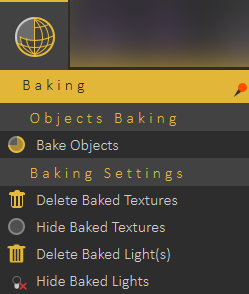
# Baking Menu
Baking is a technology that stores lighting and shadow information within objects, and away from their materials. It means that a user can change the material and/or modify its properties even change its texture without the need to bake it again and again.
[](https://simlab-soft.com/help/uploads/images/gallery/2022-09/MO1image.png)
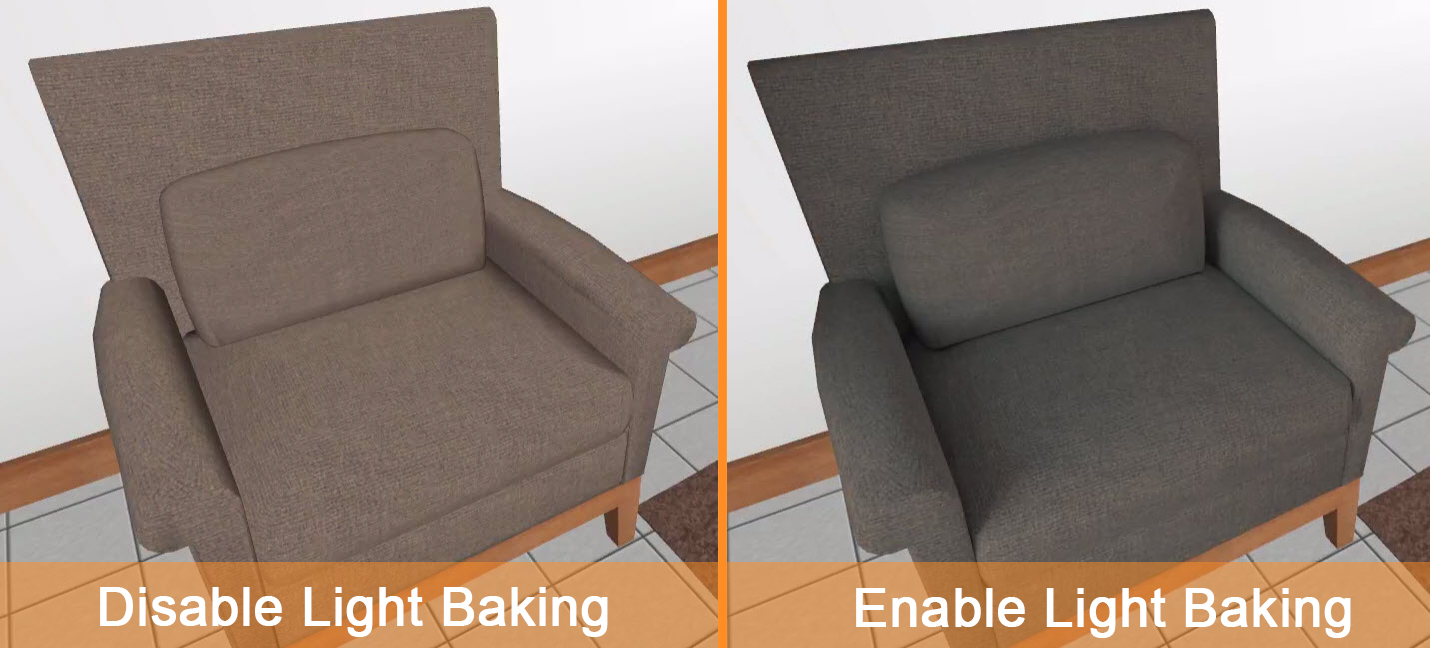
The image below shows the difference between enabling and disabling light baking.
[](https://simlab-soft.com/help/uploads/images/gallery/2022-09/zLbimage.png)
Using Light baking for superior Mobile VR
The user can switch between the two to experience day and night views by using Sunlight or interior IES lights in the VR scene.
#### Bake Objects
Texture baking/Light backing is the process of storing rendering results as textures/lights.
[](https://simlab-soft.com/help/uploads/images/gallery/2022-12/gYSimage.png)
Texture Baking, or Rendering to Texture, allows the user to create texture maps based on an object's appearance in the rendered scene. The textures are then baked into the object that is,
they become part of the object via mapping and can be used to display the textured object rapidly on 3D devices such as graphics display cards or game engines.
In other words, baked textures are those that have highlights, shadows, and shading built into the texture. It would have the highlight of the body built into the texture so it appears to be more natural or realistic looking. Therefore, it is possible to use rendering algorithms in SimLab Composer to simulate shading, shadows and bumps on the surface (or texture) of a 3D object. This process is commonly referred to as "baking" the texture. Texture baking refers to the calculation of environmental information (lights, shadows, etc) and rendering that information as a texture that can be used to make it more realistic looking.
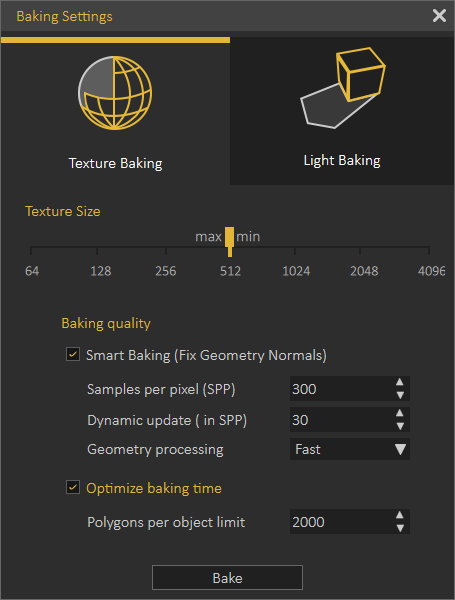
\*\*By clicking the Smart Bake button, the Texture Baking Setting dialog box appears (as shown in the following image), the following options can be found in the Texture Baking Setting dialog box:
##### Texture Size
- Min: list menu 16, 32, 64, 128, 256, 512, 1024, 2048, or 4096 (in pixels).
- Max: list menu 16, 32, 64, 128, 256, 512, 1024, 2048, or 4096 (in pixels).
##### Baking Quality
- Sample Per Pixel (SPP): controls the quality of the texture baking.
- Dynamic Update (in SPP): controls at which rate should the texture baking results appear during the baking process.
- Geometry Processing: fast or Top Quality
##### Optimize Baking Time
Polygons Per Object Limit: enter the limit number for polygons per object.
To learn more about Texture/Light backing refer to this [tutorial](https://youtu.be/SUeyg-3kCVs).