# Help Menu
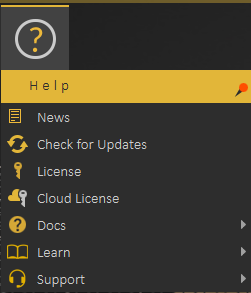
In this menu, the user has access to different sources of information about SimLab Composer.
[](https://simlab-soft.com/help/uploads/images/gallery/2021-12/image-1640947197275.png)
#### News
Starting with News, where a dialog will be displayed including latest news regarding the application, and its updates.
#### Check for Updates
Check for Updates, as the name implies, will display the dialog with the latest release of the application.
#### License
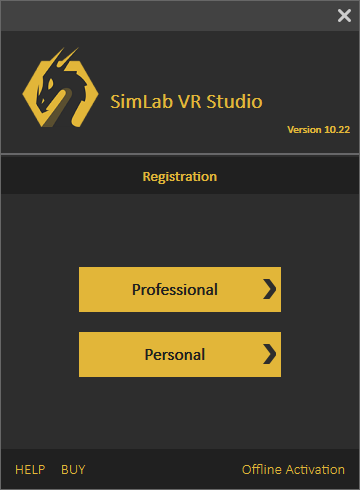
License, displays the Registration dialog, where the user can request to start a free personal license, request a trial license, or activate a professional license. More information about Composer licensing process can be found [here](https://www.simlab-soft.com/simlab-composer-license-steps.aspx)
[](https://simlab-soft.com/help/uploads/images/gallery/2021-12/image-1640947316636.png)
#### Cloud License
[](https://simlab-soft.com/help/uploads/images/gallery/2021-12/image-1640947709204.png)
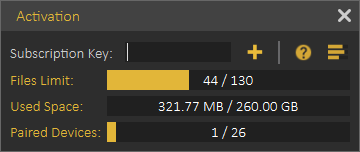
**Cloud license** option allows the user to do the following:
- View current cloud account status
- Number of models uploaded
- Used cloud space
- Number of paired devices
- Add additional cloud keys to increase cloud account capacity or to extend its period.
Note: Professional software key received when ordering a license of Composer is also a valid Cloud Key, so the user can use it to activate the Cloud account. All what the user needs to do is register a Cloud account then to add the key.
#### Docs
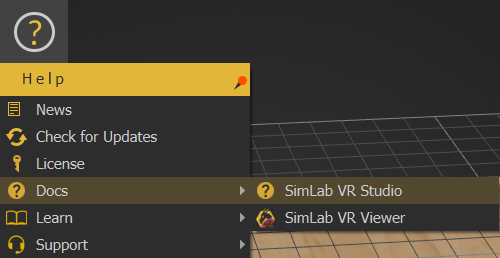
This option provides users with a list of help links available for SimLab Composer. Including a link to this help document, and a link for more information about **SimLab [Composer](https://www.simlab-soft.com/3d-products/simlab-composer-main.aspx)**.
[](https://simlab-soft.com/help/uploads/images/gallery/2021-12/image-1639908715560.png)
#### Learn
Learn option directs users to learning resources for SimLab Composer.
[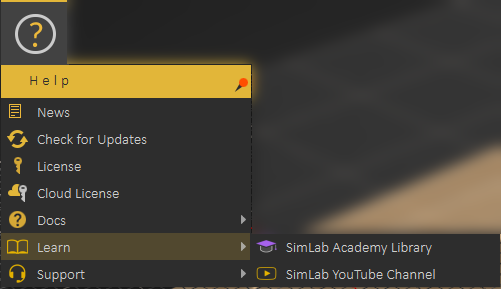](https://simlab-soft.com/help/uploads/images/gallery/2021-12/image-1640948294664.png)
SimLab Academy displays SimLab Academy in SimLab Composer library, More information about SimLab Academy can be found **[here.](https://simlab-soft.com/help/link/44#bkmrk-simlab-academy)**
[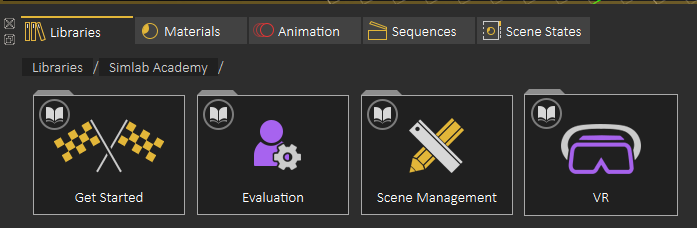](https://simlab-soft.com/help/uploads/images/gallery/2021-12/image-1640948373731.png)
SimLab [YouTube Channel](https://www.youtube.com/user/SimLabSoft) direct the user to the corresponding site.
#### Support
[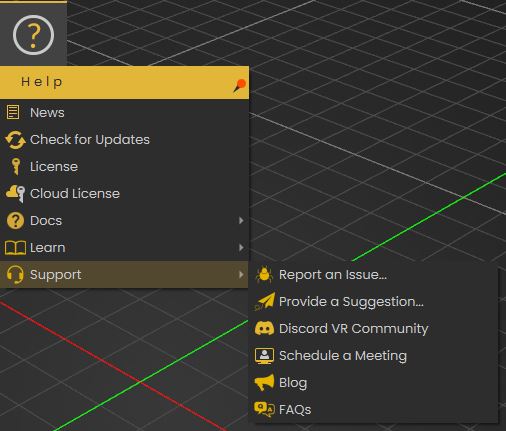](https://simlab-soft.com/help/uploads/images/gallery/2021-12/image-1640948686758.png)
Support menu allows the user to do the following:
- Report an issue
- Provide a Suggestion
- Get access to SimLab's Discord VR Community server
- Schedule a meeting
- View Blog
- View the FAQs