# Advanced xAPI LRS Settings
By default SimLab Soft will send the evaluation results into its own secured LRS, however If you have a setup of your own LRS with your LMS, you can configure your experiences to send the results into your own LRS.
#### **How to send results into your own LRS:**
- Go to SimLab Composer/VR Studio.
- Go to **VR Evaluation > LRS Settings**.
[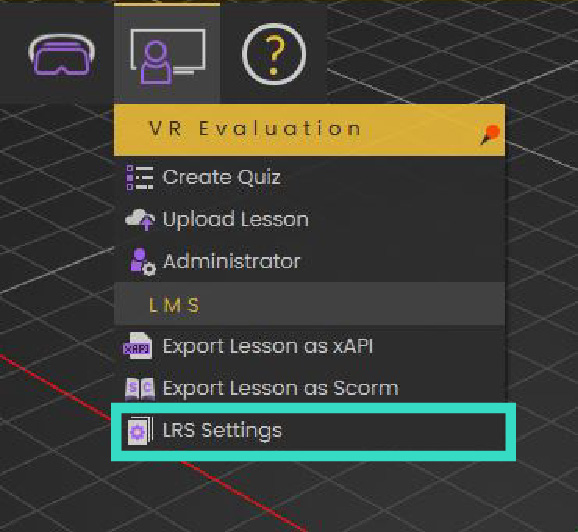](https://simlab-soft.com/help/uploads/images/gallery/2022-12/asset-1.png)
- Choose **custom** LRS settings and **fill** your LRS Authentication information.
[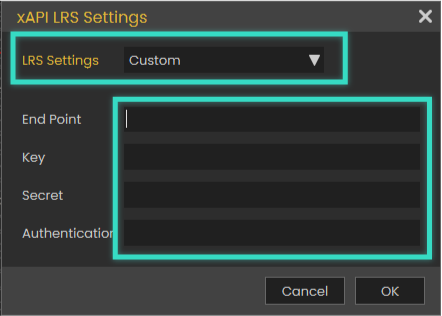](https://simlab-soft.com/help/uploads/images/gallery/2022-12/asset-2.png)
**After doing so, any VR Experience you create should send its result into your LRS system.**
By defining custom LRS settings, It's your responsibility to receive and keep the data on your LMS, SimLab Soft will not save or backup the data anywhere on its VR platform.