# VR Viewer Settings
####
#### [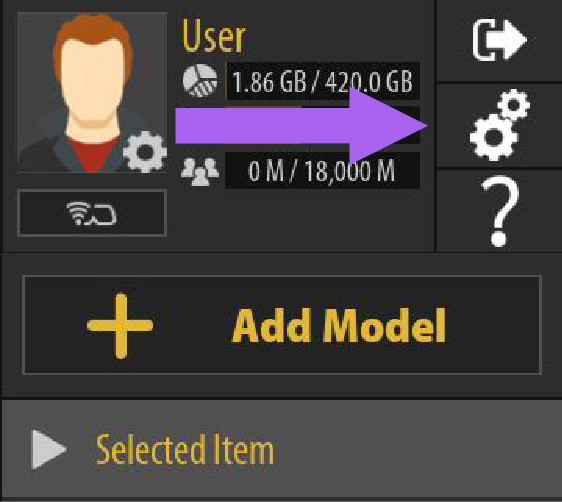](https://simlab-soft.com/help/uploads/images/gallery/2024-10/settingsa-01.jpg)
####
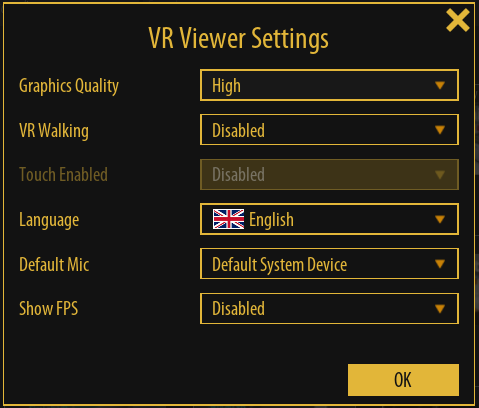
#### Graphics Quality
Users can control the rendering quality from the viewer settings.
If Running a PC with good video card on desktop the user can switch to **Ultra** rendering, which takes advantage of the new lumen rendering in unreal 5.
[](https://simlab-soft.com/help/uploads/images/gallery/2024-01/9sqimage.png)
####
####
#### VR Walking
Enable/disable walking with controllers in VR.
#### Touch Enabled
Enable touch screen (if using a PC connected to a touch screen)
#### Language
Select the interface language (Users in different countries asked for that).
#### Default Mic
Select the default Mic for notes, and voice commands
#### Show FPS
Show/ hide FPS counter on the screen
If the user finds experiences to be slow for providing great FPS for standalone VR headsets, some options can be changed from the composer when making the experience, check the last segment of [**this page**](https://simlab-soft.com/help/books/simlab-composer-help/page/properties-panel)