VR Catalogs: Your 3D Model Library in Virtual Reality
Access and arrange 3D model catalogs directly in VR. Build complete scenes, swap furniture, and review product designs without leaving your VR experience.
 Access catalogs while in VR
 Create your own custom catalogs
 Local and online catalog support

Use Cases for VR Catalogs
Powerful applications across industries

Interior Design
Swap furniture, test layouts, and visualize designs in real-time within VR environments. Complete building scenes while inside VR.

Product Review
Manufacturers can showcase product variations and let clients compare options in immersive VR environments.

Real Estate
Show different staging options and help buyers visualize their future home with different furniture arrangements.

Education & Training
Build interactive learning environments with reusable 3D model libraries for training simulations.

Architecture
Complete building designs with furniture catalogs during VR walkthroughs. Review and adjust in real-time.

Retail Visualization
Let customers explore product variants and configurations in virtual showrooms before purchasing.
How to Create VR Catalogs
Three simple steps using SimLab Composer
Prepare Your 3D Models
Export models as .vrpackage files
All models in your catalog must be in .vrpackage format. Export each model from SimLab Composer and organize them in a folder. Models can include animations, interactions, and lights.
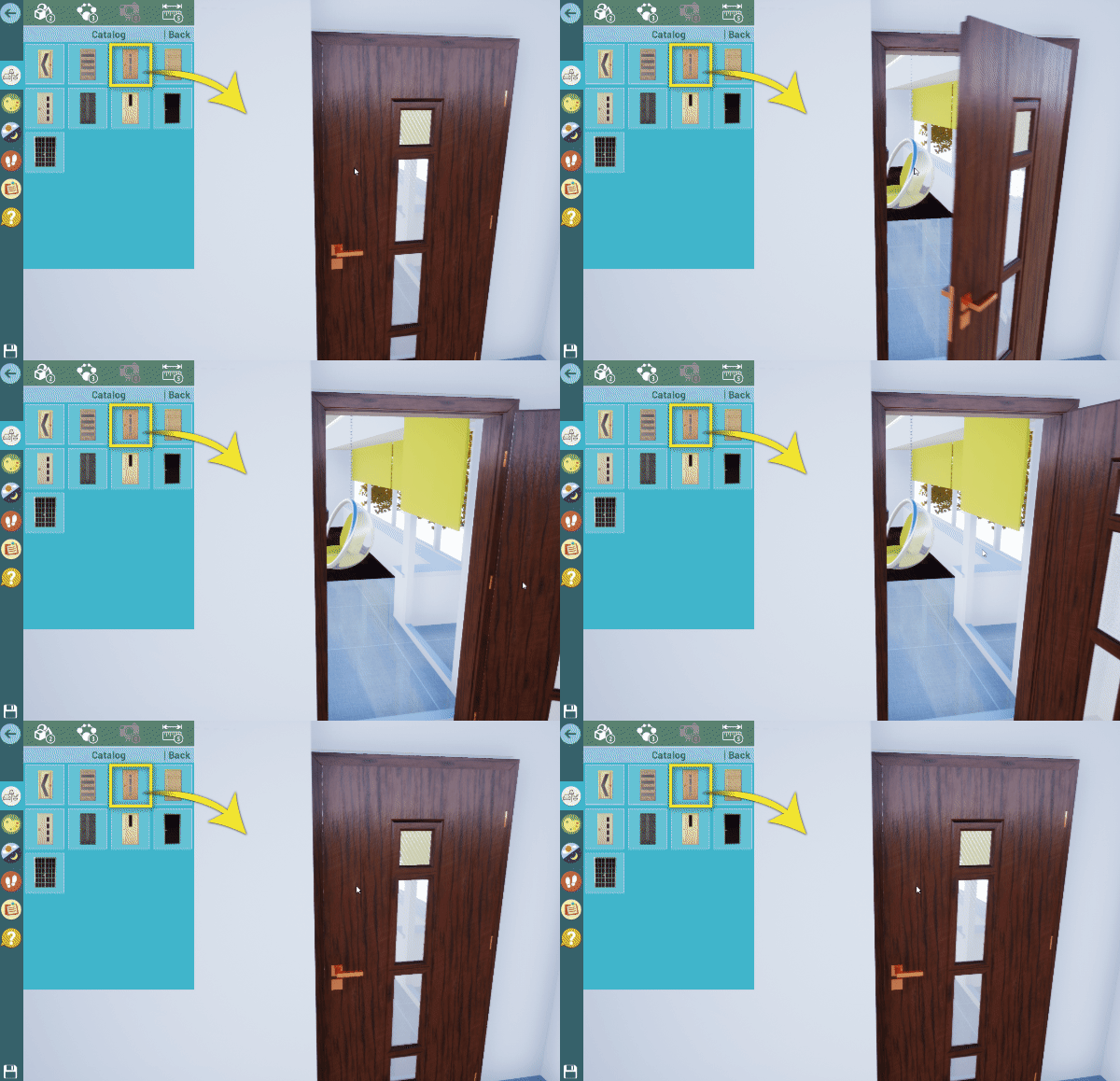
Models with Actions
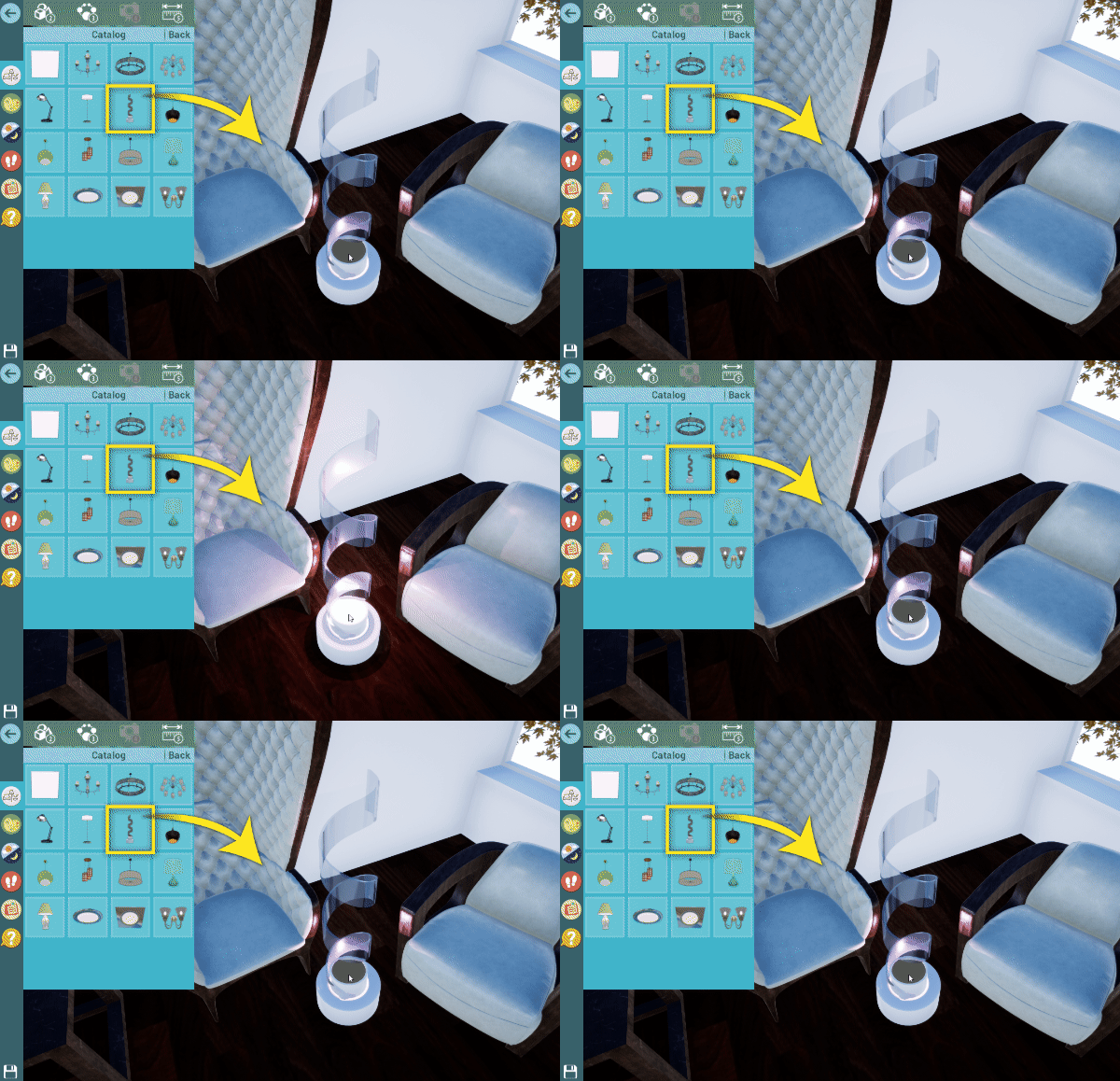
Lights
Create the Catalog
Define name, thumbnail, and folder path
In SimLab Composer, create a new VR Catalog with just a few clicks:
- ✓ Select the folder containing your .vrpackage models
- ✓ Choose a thumbnail image for the catalog
- ✓ Define the catalog name
Note: You can include both local and online catalogs hosted on your own server.
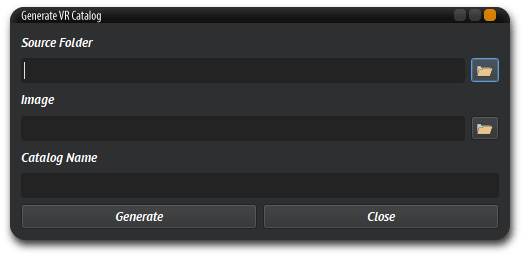
Create Catalog Lists
Organize multiple catalogs into one list
Combine multiple catalogs from different sources into a single list. This allows you to add multiple catalogs to a VR scene with one step.
Perfect for organizing by room or category:
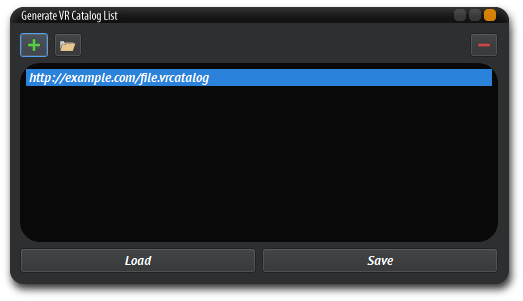
Two Ways to Use VR Catalogs
Whether you're a User or a Creator, VR Catalogs works for you

For Users
Access available catalogs directly in the VR Viewer. Browse models, download them in real-time, and arrange them in your VR scene without leaving the experience.
- ✓ Access local and online catalogs
- ✓ Download and place models in real-time
- ✓ Complete scenes while in VR
- ✓ Works with SimLab Free VR Viewer

For Creators
Build and host your own catalogs. Share them with clients, upload to your own server, and create a unique VR product showcase experience.
- ✓ Create custom 3D model catalogs
- ✓ Host catalogs on your own server
- ✓ Share VR scenes with embedded catalogs
- ✓ Engage clients with interactive product demos
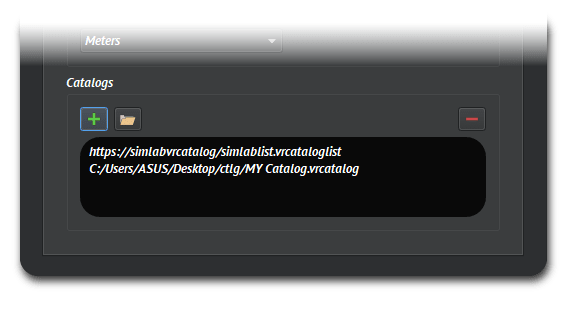
Each VR scene can connect to multiple catalogs defined in SimLab Composer
Video Tutorials
Learn how to use and create VR Catalogs
Using VR Catalogs Tutorial
Learn how to access and use VR Catalogs in the VR Viewer.
Creating VR Catalogs Tutorial
Learn how to create your own VR Catalogs in SimLab Composer.
VR Catalogs FAQ
Common questions about VR Catalogs
What is VR Catalogs?
VR Catalogs is a feature in SimLab software that lets you browse, download, and place 3D models directly inside virtual reality. You can access catalogs of furniture, lighting, interactive objects, and more while in VR, building complete scenes in real-time without leaving the VR environment.
What software do I need to use VR Catalogs?
To browse and use VR Catalogs, you need the free SimLab VR Viewer. To create your own VR Catalogs and add them to VR scenes, you need SimLab Composer Ultimate Edition.
Can I create my own VR Catalogs?
Yes. With SimLab Composer, you can create custom VR Catalogs from your own 3D models. Export models as .vrpackage files, organize them in a folder, and create a catalog with a name and thumbnail. You can host catalogs locally or on your own server for online access.
What file format do models need to be in for VR Catalogs?
All models in a VR Catalog must be in .vrpackage format. You can export any 3D model to .vrpackage using SimLab Composer, including models with animations, interactions, and lighting.
Can I use online catalogs hosted on my own server?
Yes. VR Catalogs supports both local catalogs stored on your device and online catalogs hosted on your own web server. This allows you to share catalogs with clients or team members who can access them through shared VR scenes.
What types of models can I include in VR Catalogs?
You can include any 3D model exported as .vrpackage, including static objects like furniture, models with animations and actions (like doors that open), lighting elements, and fully interactive objects with behaviors defined in SimLab Composer.
Get Started with VR Catalogs
Download the free VR Viewer or try SimLab Composer