
Co-Simulation
Note: The Co-Simulation feature does not support collaboration in SimLab VR Viewer.
The interactive co-simulation feature in SimLab Composer and the SimLab VR Viewer allows you to control simulations directly from the VR Viewer. The viewer sends commands to SimLab Composer, which performs the necessary calculations and updates the transformations of the solids displayed in the viewer. By using a bidirectional WebSocket connection, you can manipulate simulations in real time, creating a seamless link between mechanical simulation and VR visualization.
A tutorial is available to guide users through the process of blending VR and mechanical simulations in SimLab Composer. This step-by-step walkthrough ensures that engineers can quickly adopt the feature and take full advantage of its capabilities.
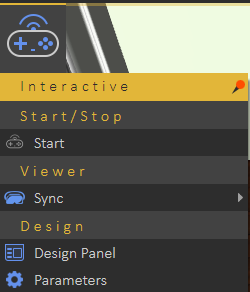
The Co-Simulation menu provides users with various options to facilitate simulation tasks. Below are the options available in this menu:
-
Open/Close Server
-
Use this option to open or close the local WebSocket server dedicated to passive and interactive real-time simulation. WebSockets enable two-way interactive communication sessions between a client application (SimLab VR Viewer or a web client) and a local host (SimLab Composer).
-
-
Export VR Package
-
This option allows you to export the current simulation as a simulation-compatible VR Package.
-
-
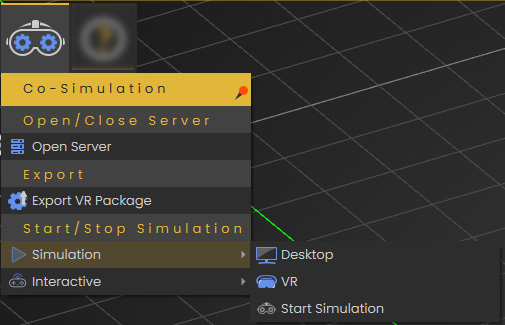
Simulation Sub-Menu
-
Desktop
-
Simulate in SimLab VR Viewer using desktop mode.
-
-
VR
-
Simulate in SimLab VR Viewer using virtual reality mode (VR headset).
-
-
Start Simulation
-
Initiate the simulation process using the local WebSocket server.
-
-
-
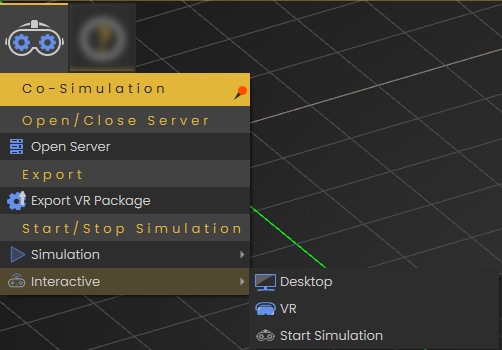
Interactive Sub-Menu
-
Desktop
-
Interact with the simulation in SimLab VR Viewer using desktop mode.
-
-
VR
-
Interact with the simulation in SimLab VR Viewer using virtual reality mode (VR headset).
-
-
Start Simulation
-
Start interactive simulation using the local WebSocket server.
-
-
No Comments