
SceneNode \ Hierarchy
 Get Node Children

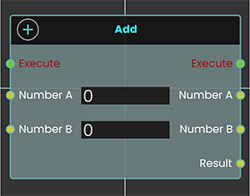 The Get Node Children enables the user to retrieve child SceneNodes from a specified parent node within the hierarchy in the scene browser. This function allows users to access the children of a parent node in the VR environment, facilitating more complex interactions and hierarchies.
Example
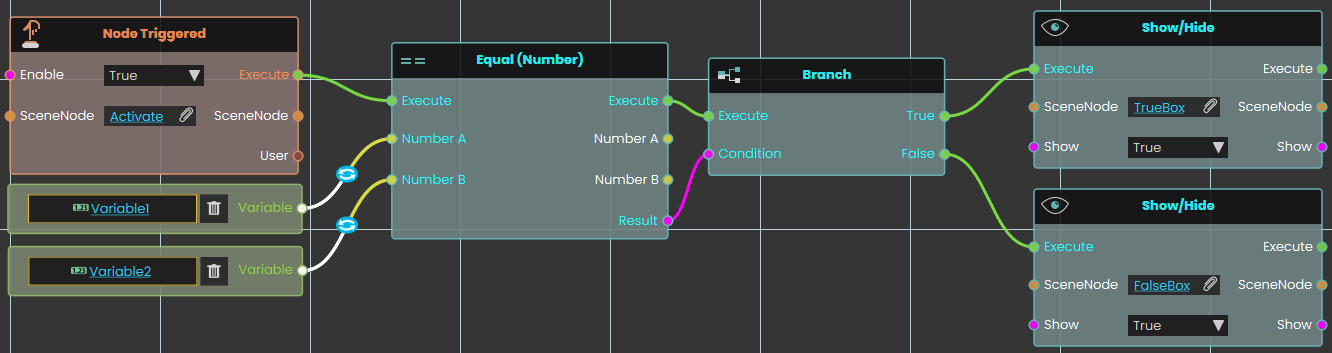
In this example, the Get Node Children enables the user to retrieve the child of a group named "Ball Parent" on the Trigger event. When the user triggers the Activate object, the Get Node Children retrieves the child node, and the Get Node Attribute (String) is used to acquire the child’s attribute.
 Reset Parent Node
The Reset Parent Node enables the user to reset all transformations applied to an object and return it to its original position relative to its main parent. This can be done by linking the node to an event or condition within the scene. Once the reset is executed, the object will revert to its default state under the main parent.
Example
In this example, a Reset Parent Node is used to reset the transformations of a car object to its original state relative to its main parent once the "Car Move" sequence ends. When the user triggers the Activate object, the car move animation sequence will play. After the sequence concludes, the Reset Parent Node is triggered automatically, returning the car to its default position under the main parent.
Get Node Descendants
Gives you every node nested underneath a scene node — not just its direct children, but everything below it at any depth.
What it does
Point this node at a scene node (often a group or assembly) and it hands back all of the nodes contained inside it: its children, their children, and so on all the way down. It’s like asking “give me everything inside this, no matter how deeply it’s tucked away.” This is the difference between this node and Get Node Children, which only returns the items one level down.
It simply reads the scene and reports back — nothing is moved, regrouped, or changed. The scene node you started from also comes straight back out, so you can keep wiring from it.
Inputs
| Port | Type | What to connect |
|---|---|---|
| Execute | Trigger | Wire this from the previous node’s Execute output. |
| SceneNode | Scene node | The node whose contents you want — usually a group or assembly. Everything nested inside it will be returned. |
Outputs
| Port | Type | What you get |
|---|---|---|
| Execute | Trigger | Fires once the node has finished. |
| SceneNode | Scene node | The same scene node you connected, passed straight back out unchanged so you can keep wiring from it. |
| Descendants | Scene node | Every node nested inside the one you gave — children, grandchildren, and deeper — gathered together. Connect this to a node that works through each one in turn. |
Example
| SceneNode input | A group named Engine Assembly |
| SceneNode output | The same Engine Assembly group, unchanged |
| Descendants output | Every part inside it at any level — Block, Cylinder Head, the bolts grouped under it, and so on |
Tips
- Use this when you want to reach everything inside a group, including items nested several levels deep. If you only need the items directly under a node, use Get Node Children instead.
- The Descendants output is a collection of many nodes, so it pairs well with a node that loops through or acts on each one — for example to hide, color, or move every part inside an assembly at once.
Get Parent Node
Finds the object that a scene node sits inside — its parent in the scene tree.
What it does
Scene objects can be nested: a wheel might sit inside a car, which sits inside a group. This node takes one object and gives you back the object directly above it in that nesting — the thing it belongs to.
It only looks the parent up; it doesn't move or change anything in your scene. You also get the original object handed straight back, so you can keep working with both the object and its parent. If the object is at the very top of the scene and isn't inside anything, the Parent result will be empty.
Inputs
| Port | Type | What to connect |
|---|---|---|
| Execute | Trigger | Wire this from the previous node’s Execute output. |
| SceneNode | Scene node | The object whose parent you want to find. |
Outputs
| Port | Type | What you get |
|---|---|---|
| Execute | Trigger | Fires once the node has finished. |
| SceneNode | Scene node | The same object you connected in, passed straight back so you can keep wiring from it. |
| Parent | Scene node | The object that the input object sits inside. Empty if the object is at the top level and isn’t inside anything. |
Example
| SceneNode input | Front Left Wheel |
| SceneNode output | Front Left Wheel (handed back unchanged) |
| Parent output | Car Body |
Tips
- Always check whether the Parent result is empty before using it — a top-level object has no parent to return.
- Because the original object comes back out unchanged, you can chain this node and keep building from the same object further down your script.
Set Parent Node
Moves a scene node so it becomes a child of another node, changing how the two move and behave together.
What it does
In your scene, nodes are arranged in a parent-and-child tree. When one node is the child of another, it travels with its parent — move, rotate, or hide the parent and the child follows along. This node lets you set (or change) which node a given scene node belongs to.
You give it the node you want to move and the node that should become its new parent. It places the first node under the second, then hands both nodes back out so you can keep wiring from them. It only changes the parent-child relationship — the node itself, along with its name and contents, stays the same.
Inputs
| Port | Type | What to connect |
|---|---|---|
| Execute | Trigger | Wire this from the previous node’s Execute output. |
| SceneNode | Scene node | The node you want to move — the one that will become a child. |
| Parent | Scene node | The node that should become the new parent. The node above will be placed under it. |
Outputs
| Port | Type | What you get |
|---|---|---|
| Execute | Trigger | Fires once the node has finished. |
| SceneNode | Scene node | The same node you sent in, passed straight back out so you can keep wiring from it. |
| Parent | Scene node | The same parent node you sent in, passed straight back out so you can keep wiring from it. |
Example
| SceneNode input | Wheel_FrontLeft |
| Parent input | Car_Body |
| SceneNode output | Wheel_FrontLeft — now a child of Car_Body, so it moves with the car body from here on |
| Parent output | Car_Body |
Tips
- This is handy for grouping things together at runtime — for example, attaching a tool to a hand so it follows the hand’s movement.
- The child keeps its place in the scene; only what it is attached to changes.
No Comments