
SceneNode \ Snapping
 Can Snap Node

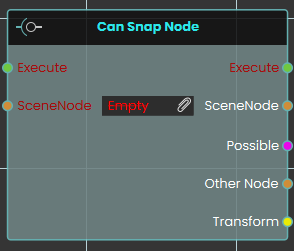
The Can Snap Node checks whether a specific SceneNode is currently within the eligible snapping range of another object. This node evaluates the spatial relationship between objects and outputs a "Possible" boolean to confirm if a snap can occur, alongside referencing the "Other Node" and its spatial "Transform" data for further logic use.
 Snap Node

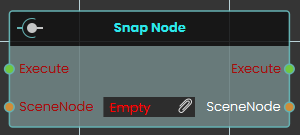
The Snap Node instantly snaps a designated SceneNode directly to the nearest eligible target socket or node. Executing this node forces the object to immediately align and attach itself to the valid snapping destination without any transition time.
 Snap Node (Animated)
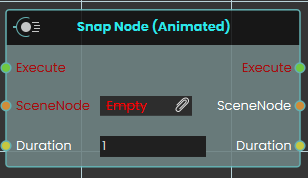
The Snap Node (Animated) securely aligns and attaches a SceneNode to its nearest eligible target, but does so with a smooth visual transition. This node utilizes a "Duration" input to smoothly interpolate the object's movement into its snapped position over the specified number of seconds, rather than snapping instantly.
No Comments