
SceneNode \ Query
 Node Added to Query
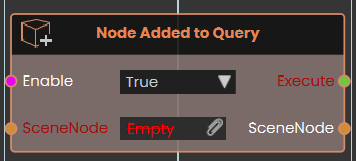
The Node Added to Query event node constantly monitors the scene and triggers its Execute output whenever a 3D object's attributes are modified to match the specific conditions defined by a connected Scene Node Query. By plugging a query into the node's SceneNode input, it listens for any object that newly meets these criteria—essentially being "added" to the query's list of valid results—and subsequently passes both the execution signal and the specific SceneNode that triggered the event through their respective outputs, allowing for dynamic, attribute-driven logic without needing to manually target individual objects.
Example:

In this example, a Scene Node Query is configured to continuously look for any object that has an attribute named "Parts" with a value containing "Part_". This query is connected directly to Node Added to Query event node. During the experience, whenever an object has its attributes updated to successfully meet this exact condition, the event node automatically triggers and passes that specific object through its SceneNode output into a Set Node Glow State node.
 Node Removed From Query
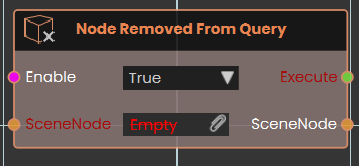
The Node Removed From Query event node continuously monitors the scene and triggers its Execute output whenever a 3D object's attributes change so that they no longer match the conditions of a connected Scene Node Query. By connecting a query to the node's SceneNode input, it watches for any object that falls out of the query's criteria—essentially being "removed" from the list of valid results.
Example:

In this example, a Scene Node Query is configured to track any object that has an attribute named "Bullet_Instance". This query is connected directly to the SceneNode input of the Node Removed From Query event node. During the experience, if an object's attributes are altered so it no longer possesses the "Bullet_Instance" attribute (for example, if the attribute is removed after a collision), the event node automatically triggers and passes that specific object through its SceneNode output into a Delete SceneNode node.
No Comments